Can temp mail be traced? What it hides and what it doesn't
By the YelMail team7 min read
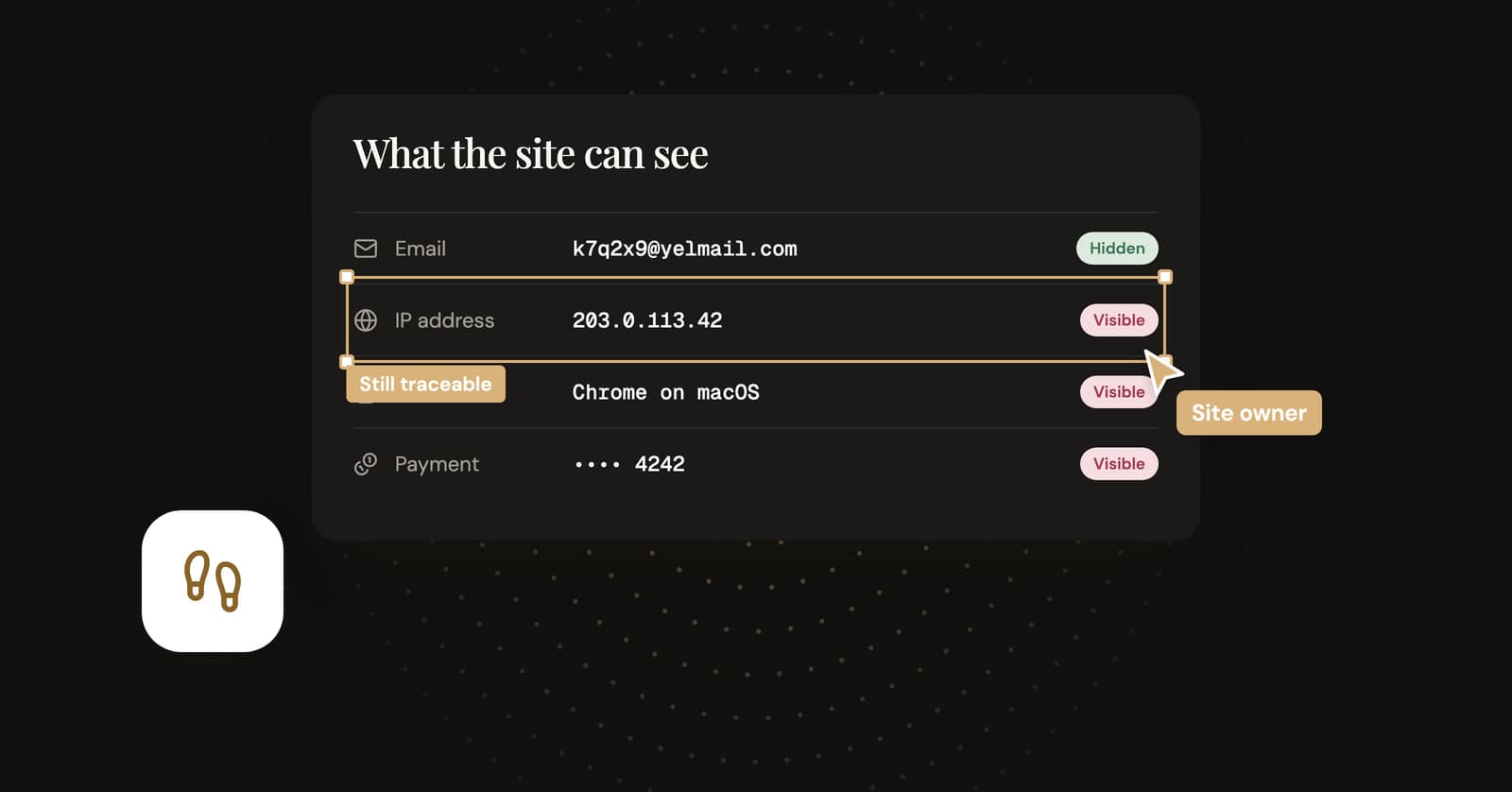
Yes, temp mail can be traced, though rarely through the address itself. A disposable address hides your name and your real inbox from the site you sign up on. It doesn't hide your IP address, your browser, the card you pay with or anything you type into the form, and a court can order any company involved to hand over whatever records it still has.
What does temp mail hide?
It hides the connection between an account and your real inbox. The site gets an address that leads nowhere: not to your name, not to your main email, not to the other accounts you've opened with that email.
That matters more than it sounds. Your email address is one of the main keys companies use to match you across sites, mailing lists and data breaches, which is a big part of why websites want your email in the first place. A throwaway address matches nothing. When the site gets breached or sells its list, the trail stops at an inbox that no longer exists.
It can also hide you from the email itself, if the service blocks tracking. Marketing emails often carry tiny invisible images that load from the sender's server and report when you opened the message and from which IP address. YelMail blocks remote images and tracking pixels by default, so opening a message doesn't report back. Our guide to email tracking pixels shows how they work.
What doesn't temp mail hide?
Everything your connection, your browser and your habits give away on their own. None of it involves the email address, so changing the address changes none of it.
Your IP address
Every site you visit sees the IP address you connect from, and the site you sign up on can log it right next to your new account. Your internet provider knows which customer had that IP at that moment. A VPN changes who knows: the site sees the VPN's address, and the VPN company sees yours.
Your browser and device
Screen size, fonts, language, time zone and a long tail of small settings combine into a fingerprint that can recognize a browser without cookies. The EFF's Cover Your Tracks test shows how your own browser looks to a tracker. A fresh email address doesn't change a single line of it.
What you type and pay with
Your name in the profile, a phone number for verification, a delivery address, a card. The card alone identifies you to the payment company, whatever address sits on the order.
Your habits
Reusing a username from your real accounts. Uploading the same profile photo. Signing up from the same connection a minute after logging in to your main account. Accounts get linked this way without the email ever coming into it.
Links you click
Blocking images stops an email from reporting back when you open it. Clicking a link is different: you're now visiting the sender's site, which sees your IP and browser like any other visit, and a tracked link tells it which email sent you. Copying a verification code instead of clicking through keeps you out of that, and on YelMail codes can be copied in one click.
The temp mail service's own records
A temp mail site is a website too. It sees the IP address of whoever opens the inbox, and it stores your messages until they expire. What it keeps beyond that, and for how long, belongs in its privacy policy, so read it. On YelMail, messages delete themselves when they expire, and Delete destroys the inbox and its messages at once.
Who can trace a temp mail user?
It depends on who's asking. A marketer gets almost nothing and the site you signed up on gets everything except your email. A court can put the pieces together.
| Who's looking | What they can see | Does temp mail help? |
|---|---|---|
| A mailing list or marketer | The address, plus open tracking if images load | Yes. The address dies, and trackers are blocked |
| Data brokers matching emails across sites | An address that matches no other record | Yes. This is where it's strongest |
| Anyone with a leaked copy of the site's database | The dead address, and your password if you reused it | Mostly. It can't protect a reused password |
| The website you signed up on | Your IP, device, activity and anything you typed or paid with | Partly. It loses your real email and nothing else |
| A stranger who knows the address | Everything, on a public inbox. Nothing, on a private one | Only if the inbox is private |
| The temp mail service | Visits to its own site, and your mail while it's stored | That's the trust you place in it |
| Police with a court order | Records from the site, the temp mail service and your internet provider, combined | No. It was never designed to |
The stranger row is the one people forget. Some services open any inbox to anyone who types its name, and our guide to public temp inbox risks explains how to tell which kind you're using.
Can police trace a temporary email address?
They can try, with the same legal tools they use for any online service: a court order or other lawful request to the website, the temp mail provider and the internet provider. What they get depends on what each of them kept.
The temp mail service is often not the most useful stop. The site where the account was used tends to hold the IP logs, device data and payment records, and the internet provider can match an IP address to a customer. Short retention makes a temp mail service a thin source. It doesn't make the rest of the trail disappear.
If what you're doing needs you to be untraceable, temp mail is the wrong tool, and probably the wrong plan. Using a disposable address is legal. Using it to commit a crime isn't, as our guide to whether temp mail is legal spells out.
Does a VPN make temp mail untraceable?
No. A VPN hides your IP address from the site and hands it to the VPN company instead, so you've moved your trust rather than removed the need for it. Your browser fingerprint, your card and your habits come along unchanged.
For everyday privacy, which is what temp mail is for, that's fine. The goal is keeping your real address out of marketing lists and breach dumps. Nobody needs to become a ghost to skip a newsletter.
How to get more privacy from a temp address
Use a private inbox and share only what the site needs. Keep the throwaway address separate from everything else about you.
- Pick a service where each inbox is private, not one anyone can open by typing the name.
- Leave remote images blocked unless you trust the sender.
- Fill in only the fields the site requires. The optional phone number and birthday can stay empty.
- Don't reuse a username, photo or bio that leads back to your main accounts.
- Copy verification codes rather than clicking tracked links when you have the choice.
- For accounts you're going to keep, use an email alias you control instead, so the privacy lasts as long as the account does.
Frequently asked questions
Can the website see my real email address?
Not from the temp address. A random disposable address has no link to your real inbox, so the site only learns your real email if you hand it over some other way, such as typing it into a form or signing in with a Google or Apple button. Some payment services may share your email with the merchant too. Any of those undoes the separation, so look twice at the sign-in button before you press it.
Can someone find out who owns a temp mail address?
Not from the address itself. A random temp address isn't registered to a name, and there's no directory to look it up in. Connecting it to a person takes records held by the services involved, such as the IP logs of the site you signed up on, and a curious stranger can't get those. Law enforcement can request them through legal process, which is a very different situation.
Does a temp mail address show my IP to the people who email it?
No. Receiving an email doesn't add your IP address to it, because the headers record the route the message took from the sender, not who reads it. A sender learns something about you through remote images, which report when they load, and through links you click. YelMail blocks remote images by default, and since it's receive-only, you never send a message carrying your own headers.
Is temp mail anonymous?
Not really. Pseudonymous is closer: the account isn't tied to your real email, but it's still tied to your connection, your device and whatever else you share. Treat temp mail as a way to keep your real address out of other people's databases. Real anonymity is a much bigger project that involves your network, your browser and your behavior, and the inbox is only a small part of it.
Does deleting the inbox erase the trail?
It erases the inbox, not the trail. Deleting a YelMail inbox destroys it and its messages at once, so there's nothing left in it to read. The site you signed up on keeps its own records, including the account, the address you gave it and how you connected, and deleting the inbox doesn't touch any of that.
Use it for what it's good at
Temp mail does one job very well: it keeps your real address away from the lists and leaks that follow a sign-up. Open a free private inbox for your next sign-up, and don't ask it to hide more than an email address can.
Keep reading

How to stop email bombing, and find what the flood is hiding
A subscription bomb fills your inbox with hundreds of real confirmation emails, usually to hide the one that matters. What to check first and how to dig out.
Hide My Email vs temp mail: which one should you use?
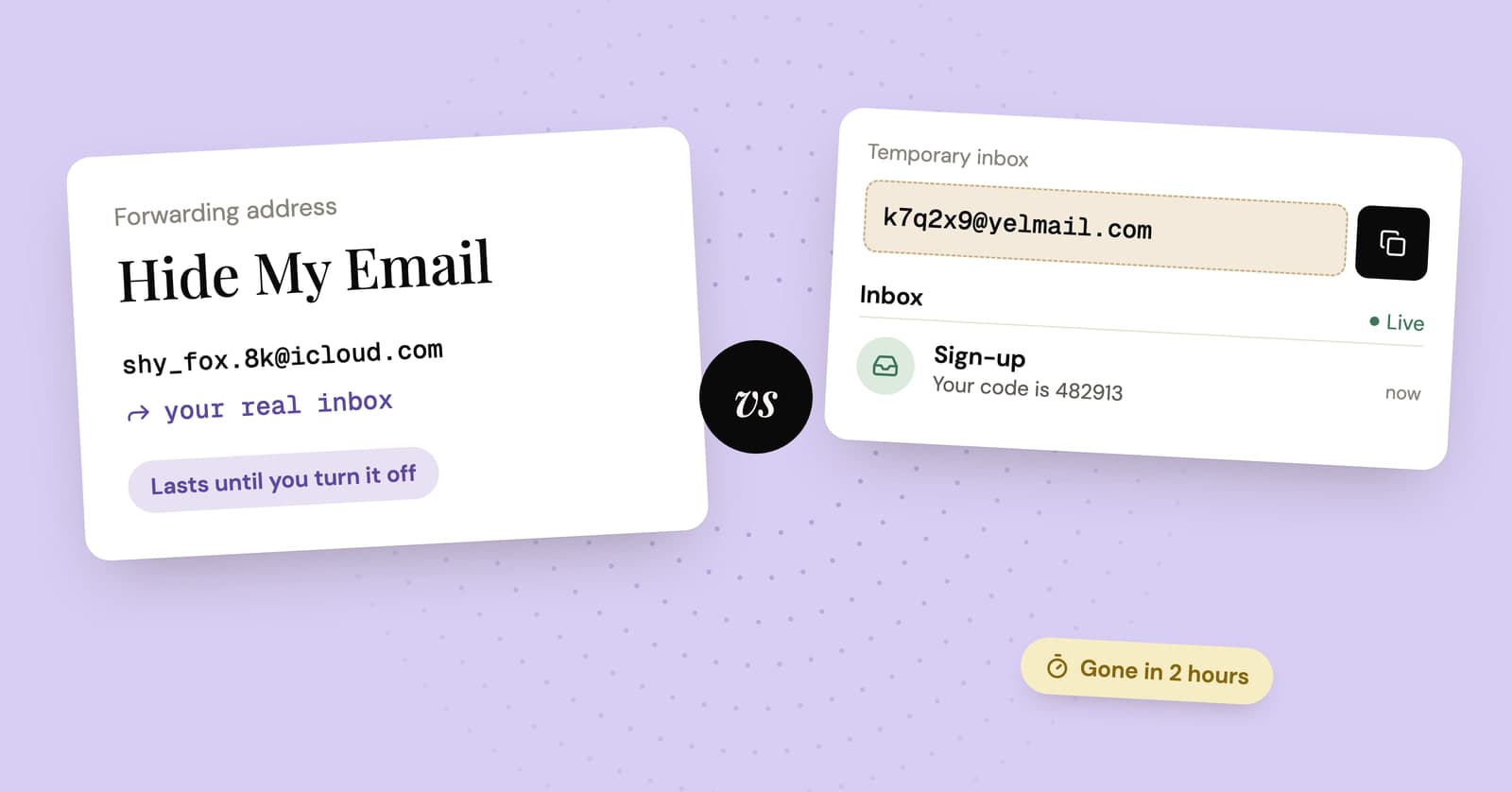
Apple's Hide My Email and a temp mail inbox both keep your real address off a form. One is built to last and the other to disappear, so the right pick depends on the sign-up.
Public Wi-Fi login email: why they ask and what to give them
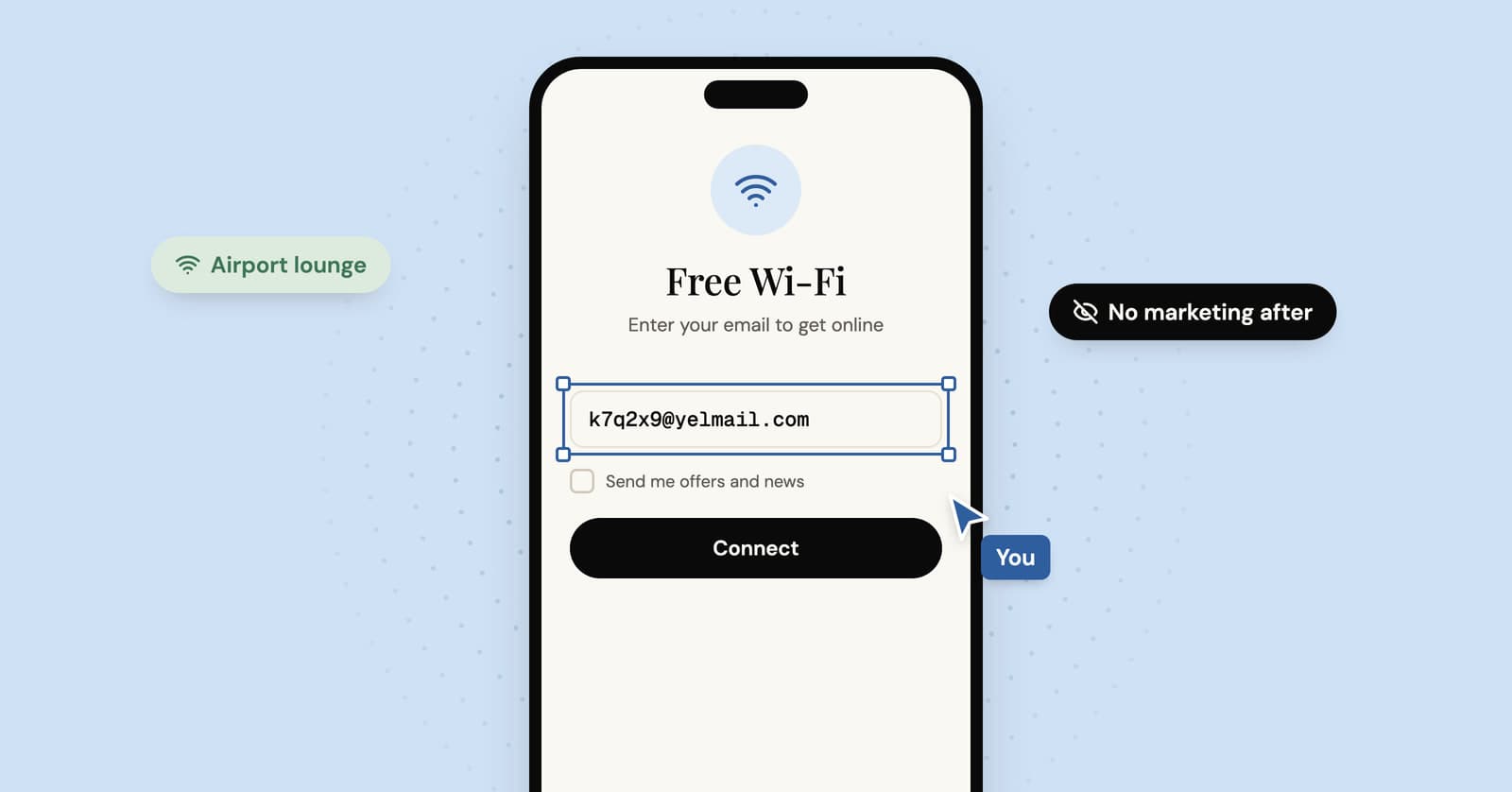
The café Wi-Fi page wants your email before it lets you online. Why it asks, where the address ends up, and what to type instead of your real one.