Is YOPmail safe? The real risk of public temp inboxes
By the YelMail team8 min read
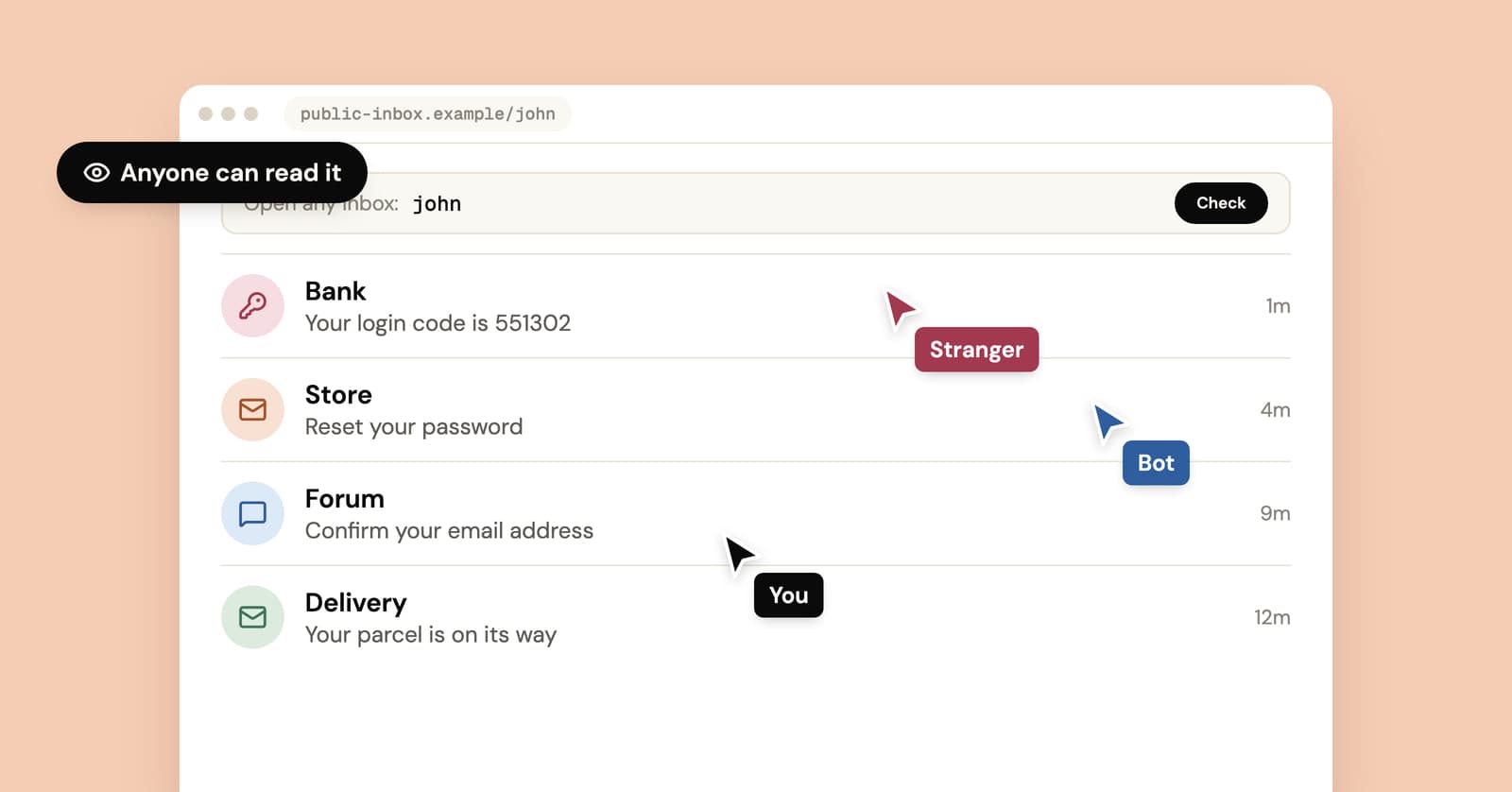
For a throwaway newsletter, YOPmail is safe enough. For anything with a login, it isn't, because it's a public temp inbox: YOPmail's own homepage says its inboxes "are not password protected," so anyone who types the same name reads the same mail. That includes your verification code, your magic login link and, a year from now, the password reset for whatever account you made with it.
How do public temp inboxes work?
A public temp inbox uses the address itself as the key. Every possible name already exists and none has a password, so whoever types a name sees everything sent to it.
That design has a real upside. There's nothing to create and nothing to remember, and you can check the same inbox from any device by typing its name. The downside is the same sentence read the other way around: anyone else can check it from any device too.
The two best-known public services are refreshingly direct about this on their own pages:
- YOPmail says on its homepage that every inbox already exists and is "never deleted," that messages are kept for 8 days and that inboxes have no password. It suggests picking a unique name, and offers an alias that forwards into your inbox so the address you hand out isn't the inbox name.
- Mailinator describes its public system as one where every address at mailinator.com already exists, and its FAQ puts it bluntly: "All emails are public. Any person can read anywhere. Do not expect privacy." Public messages are deleted after a few hours. Its paid plans add private domains for testing teams.
Side by side with a private inbox like ours, going by what each service says about itself:
| YOPmail | Mailinator (public) | YelMail | |
|---|---|---|---|
| Who can read an inbox | Anyone who types the name | Anyone who types the name | Only the browser or account holding its access token |
| What protects it | Nothing but an obscure name | Nothing, by design | A secret token created with the inbox |
| How long messages stay | 8 days | A few hours | 2 hours on Free, 30 days on Premium |
| Does the address ever go away | No, inboxes are never deleted | No, every address always exists | Free inboxes expire after 2 hours without use |
What can a stranger do with your public inbox?
Anything the email lets its reader do. Most websites treat "can read mail at this address" as proof that you own the account, so whoever reads a public inbox can often act as you.
| What lands in the inbox | What someone else can do with it |
|---|---|
| A one-time login code or magic link | Sign in as you, if they open it before it expires |
| A password reset link | They don't need to catch yours. They can press "Forgot password" and read the link that arrives |
| A welcome email | Learn your username and which site you joined |
| An order confirmation | See your name, delivery address and what you bought |
| A "new sign-in" security alert | Learn which services you use, and roughly when |
| An unsubscribe or "delete account" link | Cancel things on your behalf |
The live codes are the smaller worry. A code usually works for a few minutes, and a stranger would have to be looking at that inbox inside that window. Short, obvious names are the first ones anyone tries, so they're a bad idea, but a long random name used once is unlikely to be watched in real time.
The password reset is the real risk, and it grows with time. A YOPmail inbox never goes away, so an account you made with one can be reset by anyone who finds the name, next week or three years from now.
Say you joined a hobby forum as [email protected]. Months later someone types "pizzaman" into YOPmail, sees the forum's welcome email still sitting there, goes to the forum and clicks Forgot password. The reset link arrives in the same open inbox. The account is theirs now, with your post history and whatever you put in your profile.
Names leak in dull ways. You reuse your username as the inbox name, or paste the address into a forum thread, or pick a word anyone would guess.
When is a public temp inbox fine to use?
When nothing that arrives there is worth stealing and no account you care about depends on it. Treat it like a postcard: fine for anything you'd let the mail carrier read.
That covers more than you'd think:
- A newsletter or coupon code you'd happily read out loud on a train
- A one-time download where you only need the link, like the whitepapers and templates in our guide to getting gated content without the spam
- Quick QA checks where teammates need to open the same inbox without sharing a login
- Showing someone what a sign-up email looks like
It's the wrong tool for anything with a password, anything that sends codes, anything you pay for and anything that puts your real name or address in the message. For the wider question of what temp mail in general is safe for, see is temporary email safe.
How is a private temp inbox different?
A private temp inbox gives each address a secret access token, so knowing the address isn't enough to open it. The address receives mail, and only the browser or account holding the token can read it.
That's how YelMail works. When the page opens, you get a random address and your browser gets the key. There's no box where someone can type your address and see your mail, because there's no public mailbox behind it. Remote images and tracking pixels stay blocked unless you load them, and the inbox is receive-only, so nobody can send mail from it either.
Private doesn't mean permanent, though. A free YelMail inbox expires after 2 hours without use, and once it's gone it can't be recovered. That removes the stranger problem and leaves the ordinary one: an account tied to an address you no longer control. What happens when a temp email expires covers that side.
How to check if a temp mail service is public
Try to open your inbox from somewhere that shouldn't have access. If it opens, it opens for everyone.
- Think about how you got the inbox. If you typed any name you liked and it opened, with no account and no moment where the site created it for you, the name is the key.
- Copy your address, open a private or incognito window, go to the same service and enter the address. If your mail shows up there, it shows up for strangers too.
- If the service lets you choose any name for free, ask what stops someone else from choosing the same one. If the answer isn't a login or a token, nothing does.
- Search the homepage and FAQ for "public" and "password". Services with open inboxes usually say so somewhere, sometimes in small print.
Already used a public inbox for an account?
Move the account to an address you control, today. The one upside of an inbox that never expires is that you can still receive the confirmation email most sites send when you change addresses.
- Log in and find the email setting, usually under Account, Profile or Security.
- Change it to your real address or an alias you control.
- Confirm the change from whichever inbox the site asks you to.
- Change the password, and change it anywhere else you've used it.
- Turn on two-step sign-in with an authenticator app if the site offers it.
- Delete the old messages from the public inbox so the next visitor doesn't find the welcome email.
If you can't log in any more, or the site makes the change awkward, our walk-through on moving an account off temp mail covers the harder cases.
Frequently asked questions
Does a YOPmail alias make my inbox private?
It helps, but it doesn't make the inbox private. YOPmail describes the alias as an alternate address that forwards into your real inbox, so the site you sign up on never sees the inbox name. The inbox itself still has no password. Its safety rests on nobody learning, guessing or stumbling on the real name, which is a much thinner wall than a secret token.
Is Mailinator safer than YOPmail?
Not in the way that matters. Both are public by design, and every address on both is open to anyone who types it. Mailinator deletes public messages after a few hours, so old mail doesn't pile up for strangers to read. But the address never goes away, so a password reset requested next year still lands where anyone can see it. Its paid private domains are a different product.
Can other people delete my emails in a public inbox?
On Mailinator's public system, yes: its documentation says public inboxes and emails are readable and deletable by anyone. YOPmail lets you delete messages yourself, and since the inbox has no password, assume anyone who opens it has the same buttons you do. A code you're waiting for can be read, used or removed before you see it, so never rely on one arriving.
Can a YOPmail address be traced back to me?
Not through the address alone, since nobody registers a public inbox to a name. The website you signed up on still sees your IP address, your browser and anything you typed into its forms. And your messages sit where anyone can read them. For what a disposable address hides and what it leaves exposed, see whether temp mail can be traced.
Pick the inbox that matches the stakes
A public inbox is fine for mail you'd leave on a café table. For everything else, use one nobody can open by typing its name. A free private temp mail inbox is ready the moment the page loads. For accounts you plan to keep, use an address you'll still have next year.
Keep reading
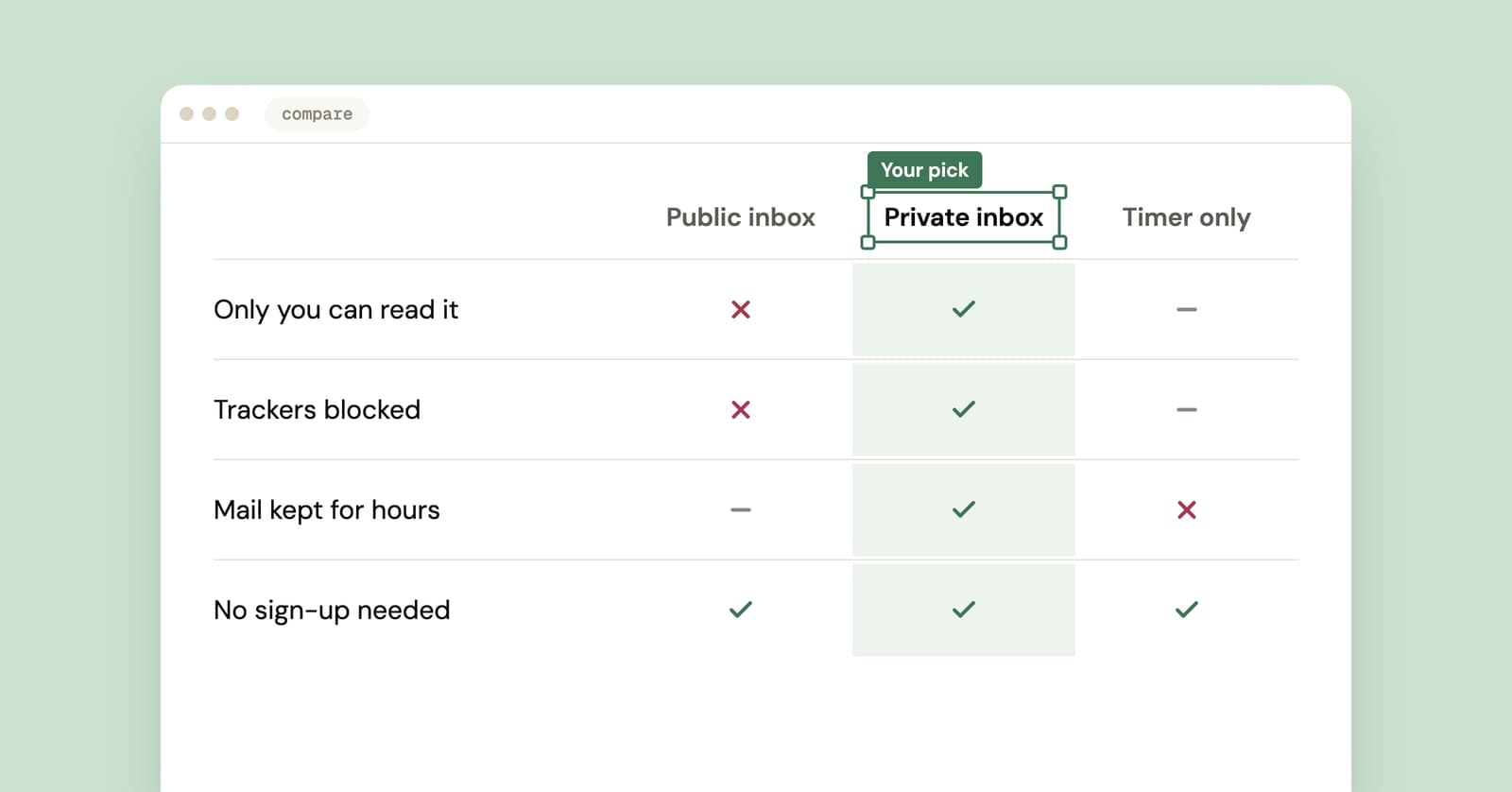
Best temp mail service? An honest checklist from people who run one
We run a temp mail service, so read this with that in mind. Here is the checklist we'd judge any provider by, us included, plus a five-minute test you can run yourself.
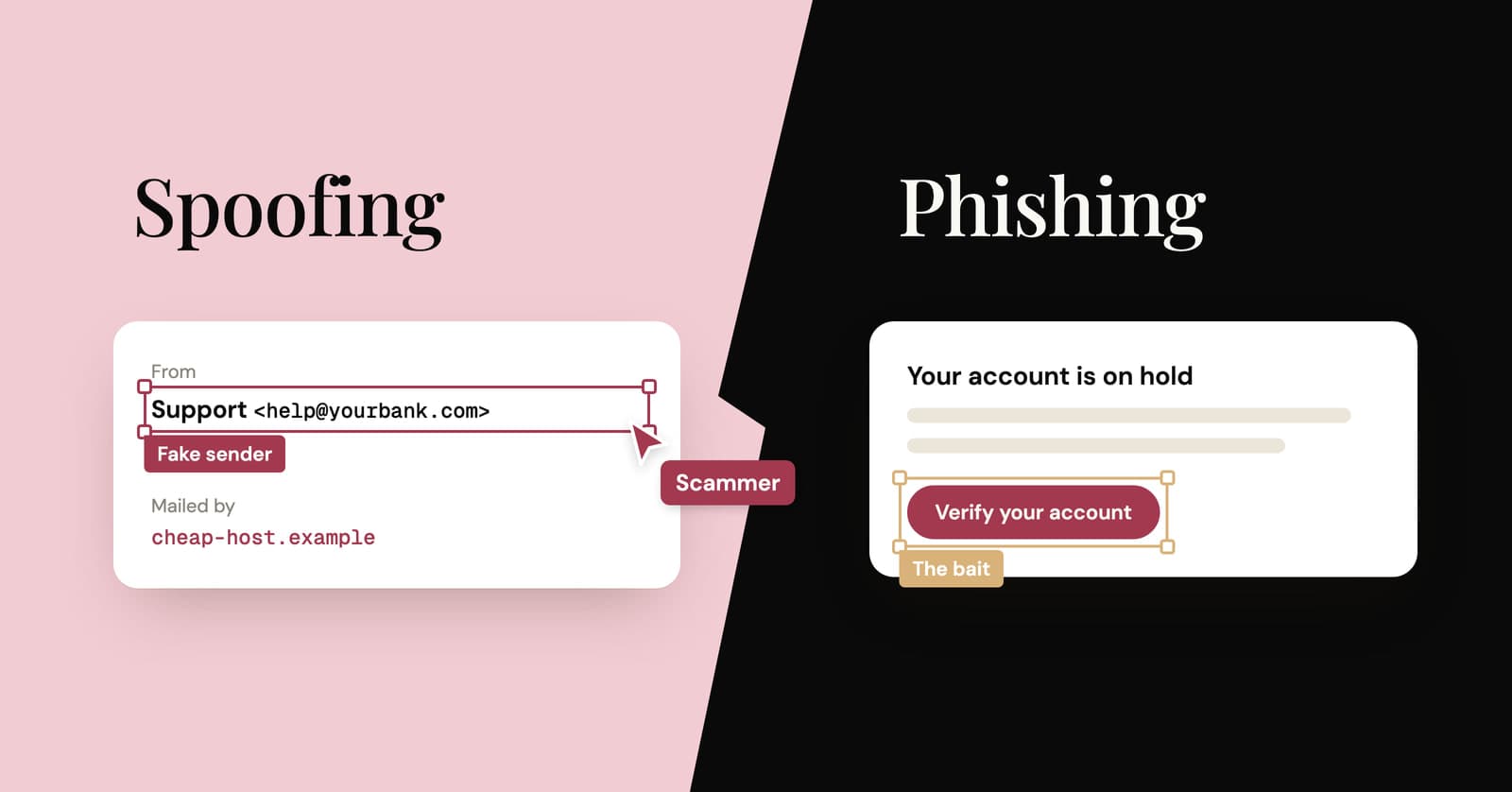
Email spoofing vs phishing: what's the difference?
Spoofing fakes who an email is from. Phishing is the scam that wants something from you. How they differ, what SPF, DKIM and DMARC catch, and how to check a sender yourself.
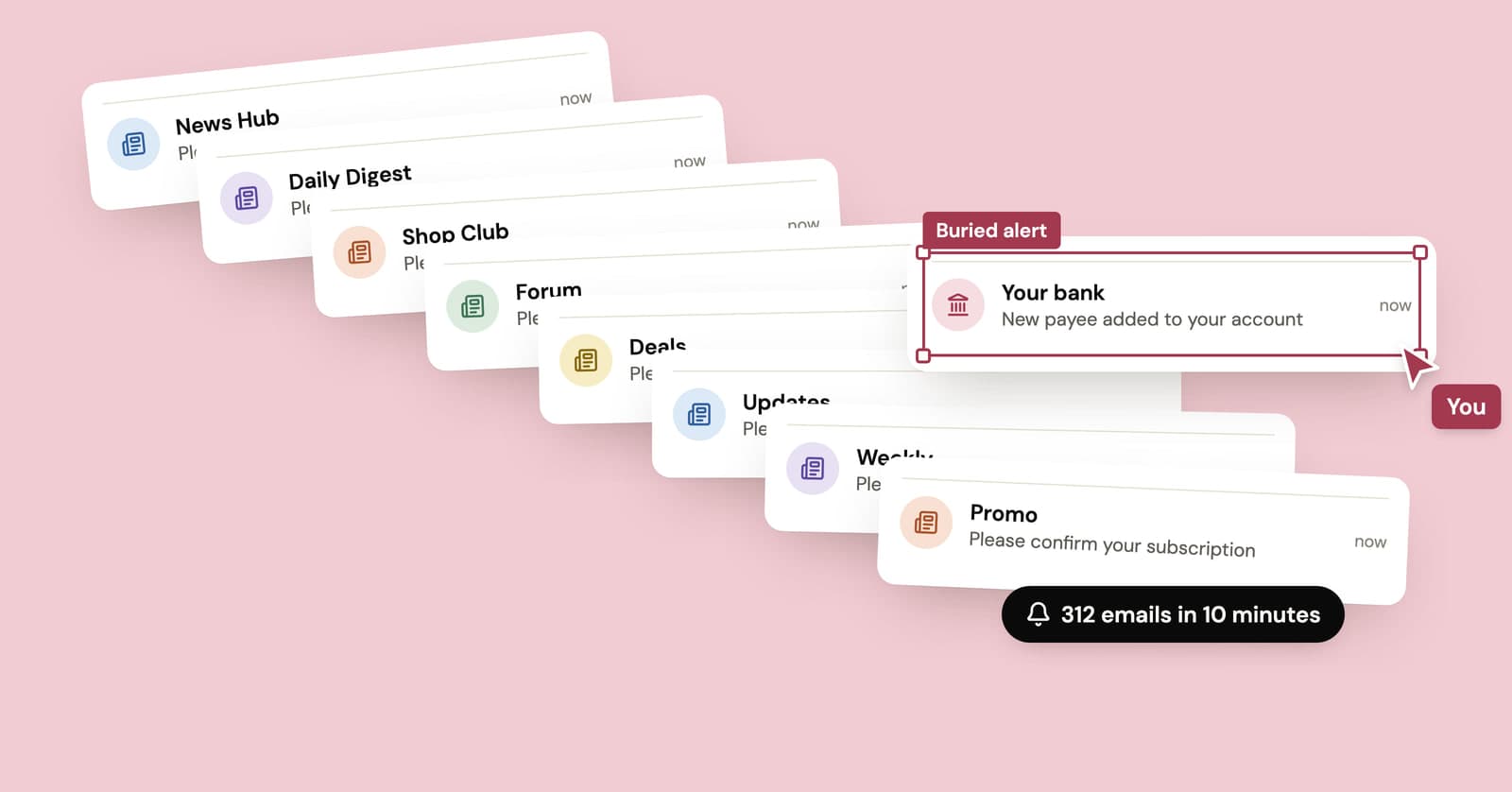
How to stop email bombing, and find what the flood is hiding
A subscription bomb fills your inbox with hundreds of real confirmation emails, usually to hide the one that matters. What to check first and how to dig out.